- Log into your Wordpress Admin area.
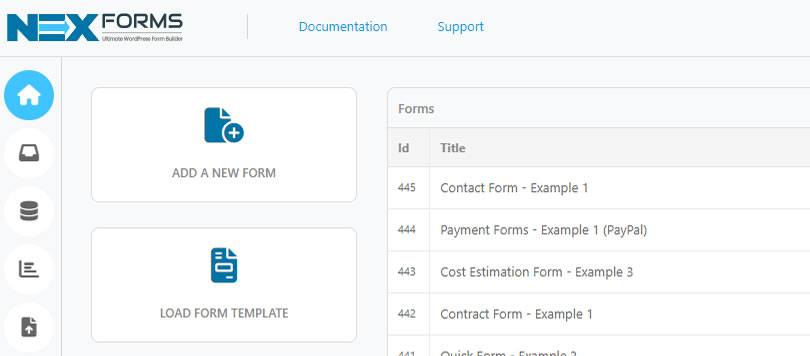
- Click on the "NEX-Forms" menu item from the admin sidebar.
-
Click on "LOAD FORM TEMPLATE"

-
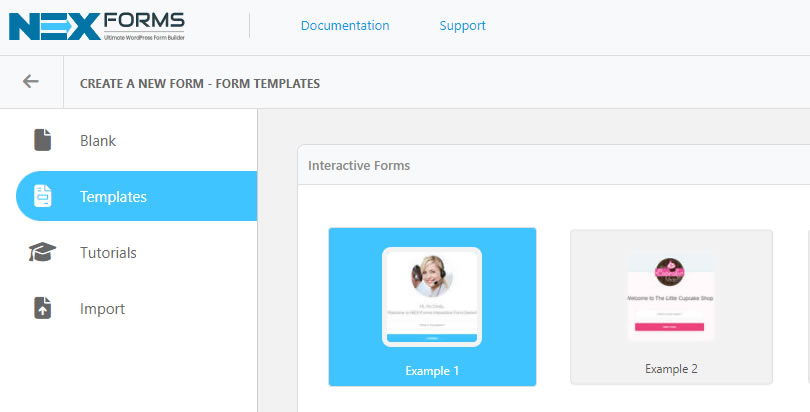
Select any of the available NEX-Forms pre-made templates. For the purpose of this exercise select Interactive Forms -> Example 1.
-
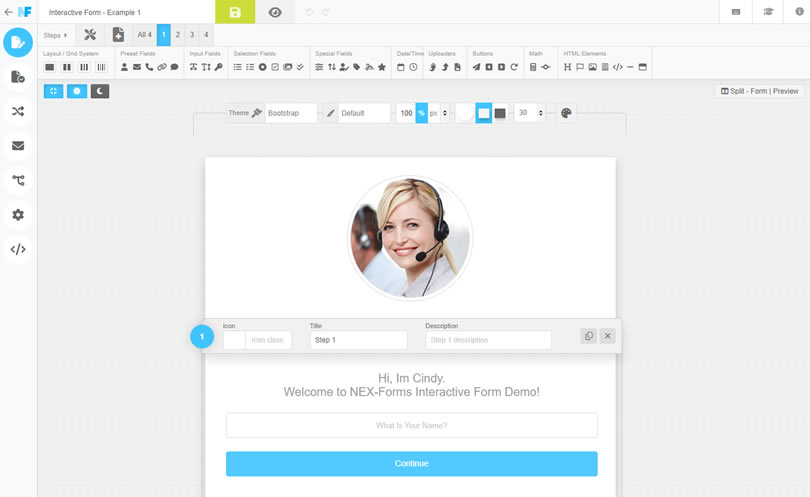
The NEX-Forms form editor now will open and your chosen template will be loaded. Now you have a solid form foundation from where you can make adjustments to fit your requirements.
NEX-Forms Documentation
Documentation & Tutorials for NEX-Forms version 8.0 and above
Using Pre-made Form Templates
Learn how to load pre-made temapltes to give yourself a head start. There are over 35 pre-made built-in tempaltes as seen in the NEX-Forms demo to choose from.
How to load a NEX-Form Pre-made Form Template
Was this article helpful?
Still having trouble? How can we help you?
This article was last updated on 19 November 2024
Popular Articles
Stay in Touch
Get the latest NEX-Forms news and info by following us on:
In this article


Andritch Arthur recently bought a NEX-Forms - BASIC Plan

Joe Camino recently bought a NEX-Forms - BASIC Plan

Ana Paula Meyer recently bought a NEX-Forms - PLUS Plan

Dennis Müller recently bought a NEX-Forms - BASIC Plan

Nathan Gjorgievski recently bought a NEX-Forms - BASIC Plan